
Log in to your WordPress website.
by visiting www.yourwebsite.com/wp-admin
Once you are login
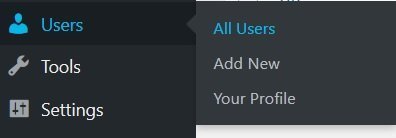
from the left menu click on Users → All Users
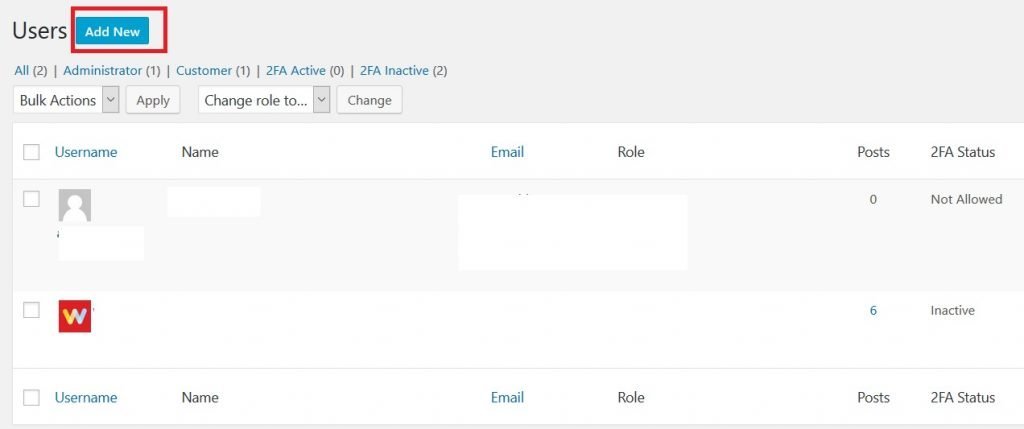
Click on add new
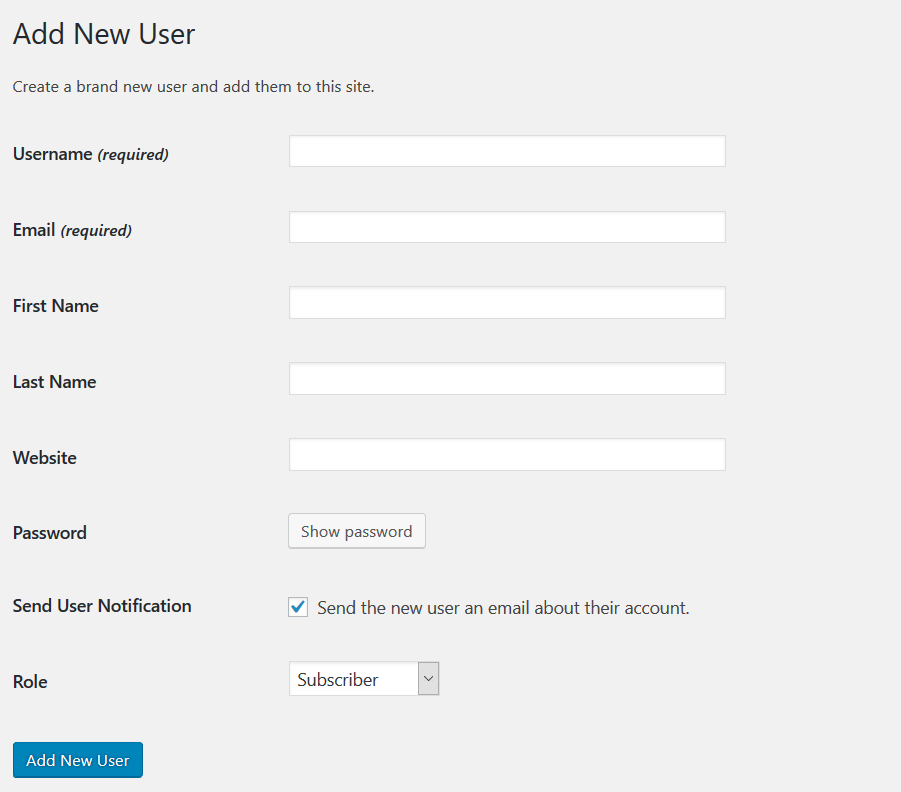
Fill in the form with all the correct info
make sure to change the role to administrator and lastly click on Add new User button and you are done.
Leave a Reply